WhatsApp Chatbot for Indian Businesses: The 2026 Guide
A WhatsApp chatbot can handle 60–80% of customer queries automatically. Here's how Indian businesses are setting them up in under 30 minutes — no developers needed.
Over 90% of customer service queries at Indian SMBs fall into three buckets: 'Where is my order?', 'What are your prices / timings?', and 'How do I return or exchange?'. All three can be handled automatically by a WhatsApp chatbot — around the clock, with no human agent involved. A well-configured bot responds in under a second, 24 hours a day, and costs a fraction of a full-time support hire.
What Is a WhatsApp Chatbot and How Does It Work?
A WhatsApp chatbot is an automated system connected to your official WhatsApp Business API number. When a customer messages you, the bot handles the conversation based on rules or AI. Every reply appears to come from your verified business account. If the bot cannot answer, it escalates to a live agent seamlessly — handing over the full conversation history so the agent has context.
Rule-Based vs AI-Powered — Which Bot Do You Need?
| Type | How It Works | Best For |
|---|---|---|
| Rule-based chatbot | Responds to keywords or numbered menu choices | Simple FAQ, order status, business hours, location |
| AI-powered chatbot | Understands natural language using an LLM | Complex questions, lead qualification, product recommendations |
wChatFlowAI's AI bot is powered by a large language model. You configure a system prompt that describes your business, products, and policies — the bot handles natural language questions without needing predefined keyword rules.
What Can a WhatsApp Chatbot Do for Your Business?
- Answer FAQs about products, services, pricing, and working hours instantly
- Capture leads — collect name, phone number, and requirements from prospects
- Qualify leads — ask screening questions and route hot leads to your sales team
- Share product catalogs, price lists, or brochures as PDF attachments
- Send order status updates when integrated with Shopify or WooCommerce
- Book appointments by guiding customers through available slots
- Handle return and exchange requests with step-by-step guidance
- Escalate to a human agent with full conversation history when needed
How Do I Set Up a WhatsApp AI Chatbot on wChatFlowAI?
- Sign up for wChatFlowAI and connect your WhatsApp Business API number
- Go to AI Settings and enable the AI bot for your workspace
- Write your system prompt: describe your business, products, pricing, hours, and return policy
- Add FAQ pairs — questions your customers frequently ask with their ideal answers
- Set an escalation trigger — words like 'human', 'agent', or 'help' route the chat to your inbox
- Test the bot by messaging your own number before going live
- Monitor conversations weekly and refine the prompt based on real interactions
wChatFlowAI's AI bot is task-scoped — it answers questions about your business only, not general topics. This aligns with Meta's 2026 AI bot policy requiring WhatsApp bots to be purpose-specific.
What Are Common Mistakes to Avoid with WhatsApp Chatbots?
- Writing a generic system prompt — be specific about your actual products, prices, and policies
- Not configuring escalation — customers who need human help get stuck in a loop
- Expecting 100% accuracy from day one — AI bots improve as you refine the prompt over time
- Forgetting to audit — review the last 50 conversations weekly and update FAQ pairs
Rule-Based Chatbot or AI Chatbot: Which Should You Choose?
A rule-based chatbot follows a fixed script: a customer taps a button or sends a keyword and gets a set reply. It is predictable and cheap to run, which suits order status, store hours and appointment booking. An AI chatbot reads the customer's own words and answers from your business information, so it handles questions you did not script, but you need to review its answers and set limits on what it may discuss.
- Choose rule-based when the questions are few and the right answer rarely changes.
- Choose AI when customers ask in free text and the answers live in FAQs, catalogues or price lists.
- Most businesses combine both: buttons for common requests, AI for everything else, and a hand-off to a person for anything sensitive.
- Keep the bot focused on your own business tasks such as support, bookings and product questions.
How Much Does a WhatsApp Chatbot Cost in India?
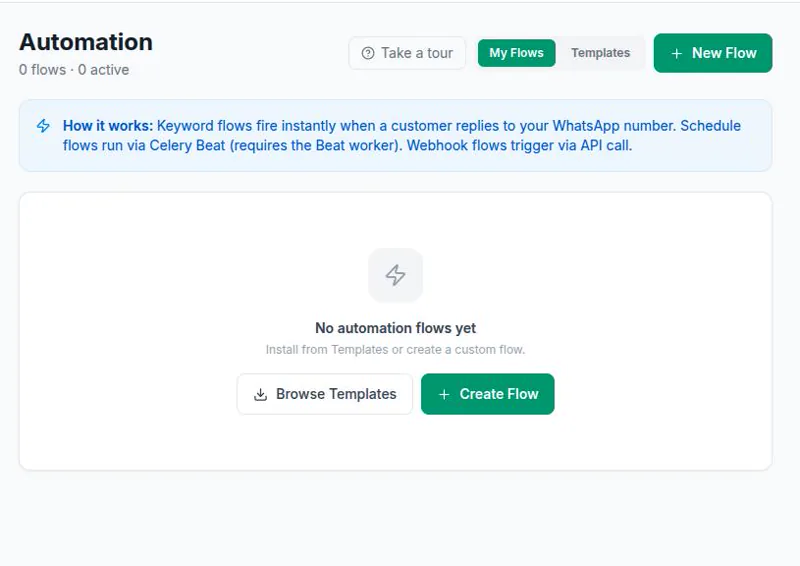
The cost has three parts: Meta's per-message charge for any template messages the bot sends, a platform fee, and the cost of AI replies if you use them. Replies a bot sends inside a 24-hour customer service window are non-template messages, which Meta does not charge for. On wChatFlowAI, automation flows are included from the Starter plan and the AI bot from the Growth plan, with AI replies billed from a separate AI wallet. See the pricing page for current figures and what the API costs in India for Meta's rates.
Want a chatbot without building one? See the WhatsApp chatbot product page. For examples by industry, read about WhatsApp chatbots for clinics, for education and for restaurants.
Set up your WhatsApp AI chatbot on wChatFlowAI in under 30 minutes. 14-day free trial at app.wchatflowai.com — no credit card required.
Ready to get started with wChatFlowAI?
14-day free trial · No credit card required · Connect in minutes